See your collection like this.
Bring your sports cards and trading card games into one searchable collection. Find the exact card, the set it belongs to, and where you stored it.
Find the exact copy.
Look up a card in the sample collection by name, set, or storage location.
One Piece
Captain of the Tide
- Set
- Sample Grand Voyage
- Card number
- DEMO-001
- Variant
- Alternate Art
- Copies
- 1
From spreadsheet to Studio.
See the workflow in 42 seconds, from importing cards to finding a copy by its binder location.
- Bring your lists
- Import CSV or Excel files, match columns, and review possible overlaps.
- Explore the collection
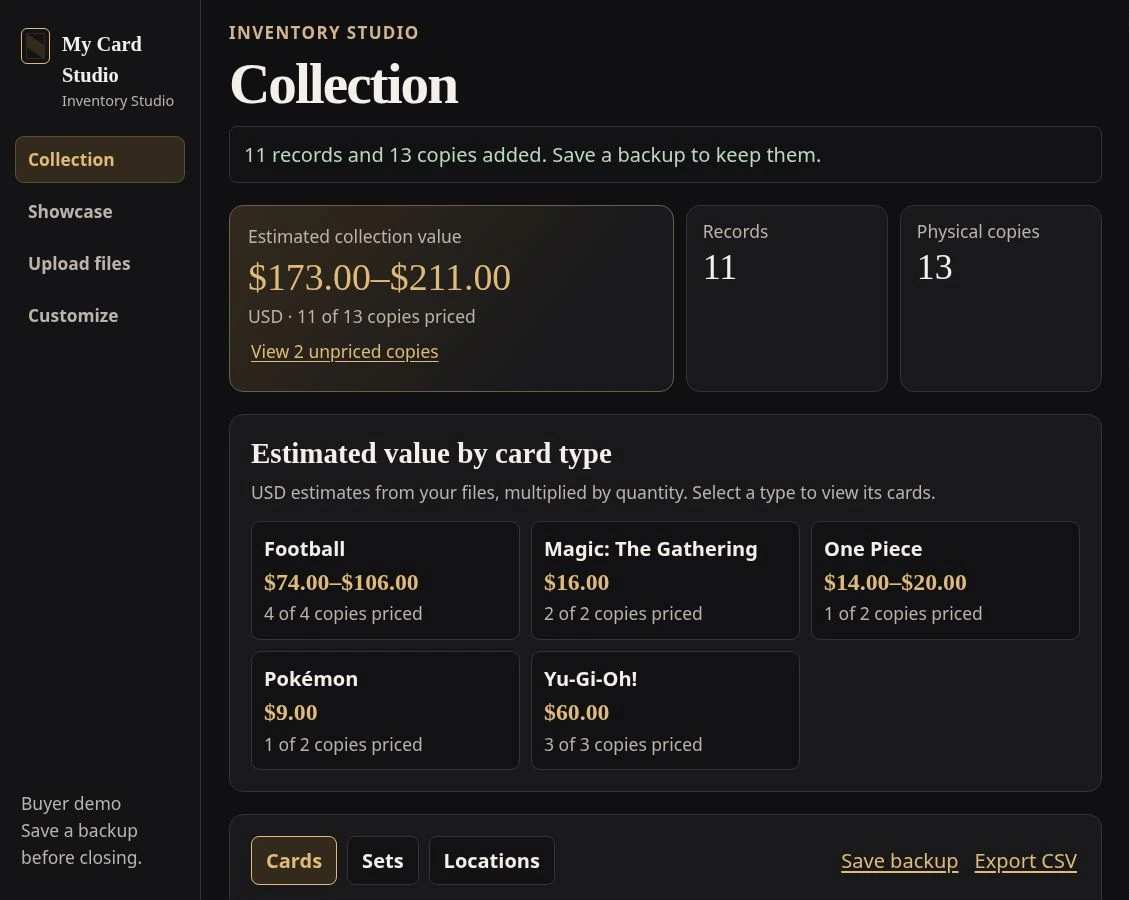
- Search by card, set, or location. See estimates by card type using the values in your files.
- Keep your work
- Build a private photo Showcase and save a backup you can reopen later.
Before you import.
What files can I use?
Bring a CSV or an Excel .xlsx export. Studio lets you review how the columns map to card details before you import.
What if my lists overlap?
Studio flags possible matches for review. You choose whether to skip a row or keep it as an additional physical copy.
Where do the estimates come from?
Studio totals the estimates in your files by quantity and card type. Cards with blank estimates stay unpriced.
Can I reopen my collection later?
Save a JSON backup after making changes. Restore it to reopen your cards, locations, preferences, and Showcase. You can also export your card records as CSV.
Show us how you track your cards.
Request a private walkthrough. Tell us what you collect and which tools you use, so we can focus on the cards you’re trying to organize.